A visual npm package manager with a Visual Studio-like experience
Browse, install, update and consolidate your package.json dependencies instead of hand-editing JSON and shelling out to the CLI. It's the npm / Node.js sibling of the NuGet Package Manager, built to the same look and feel — from one shared engine that also powers a Visual Studio 2026 build.
Features
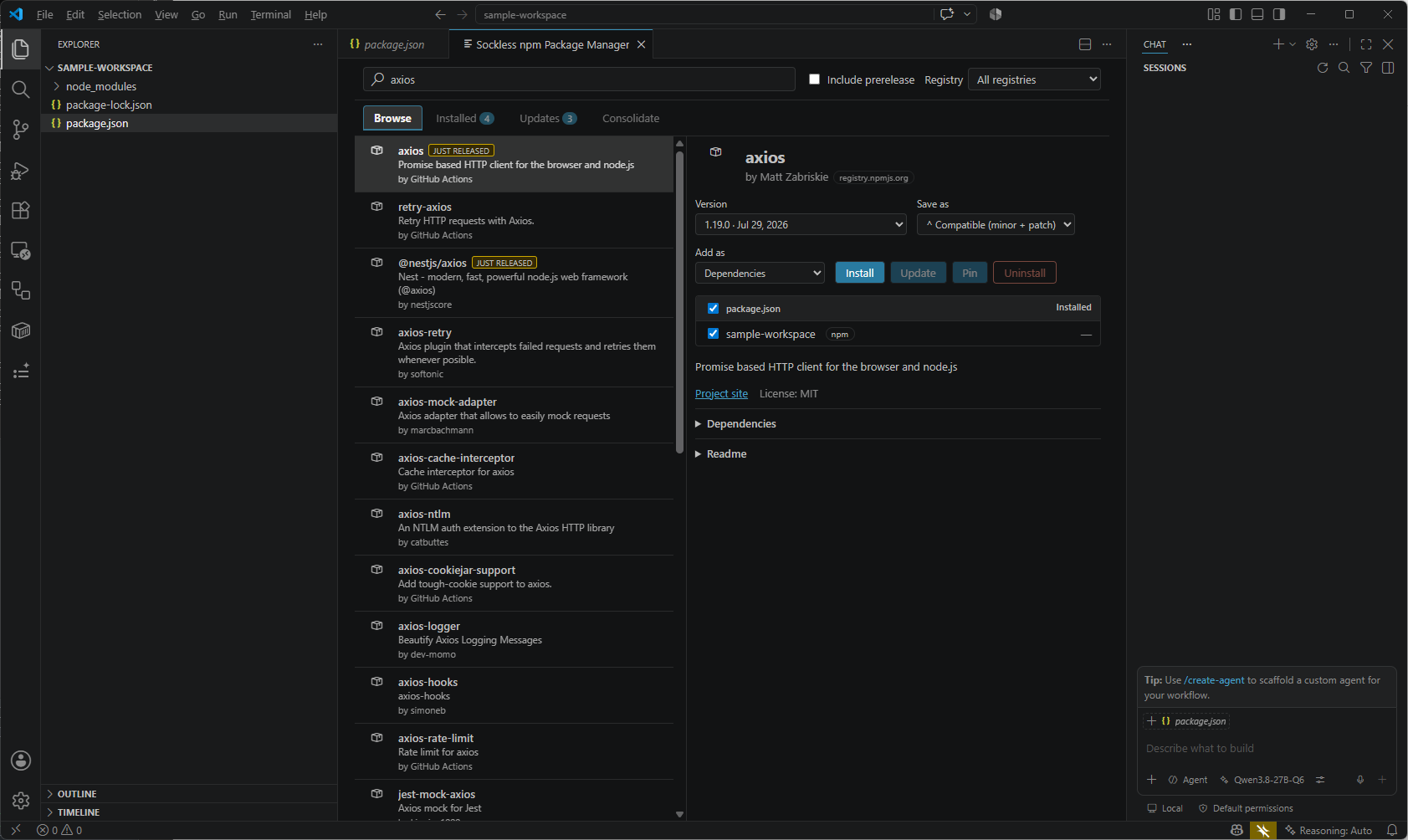
- Browse the npm registry (and any private or scoped registries in your
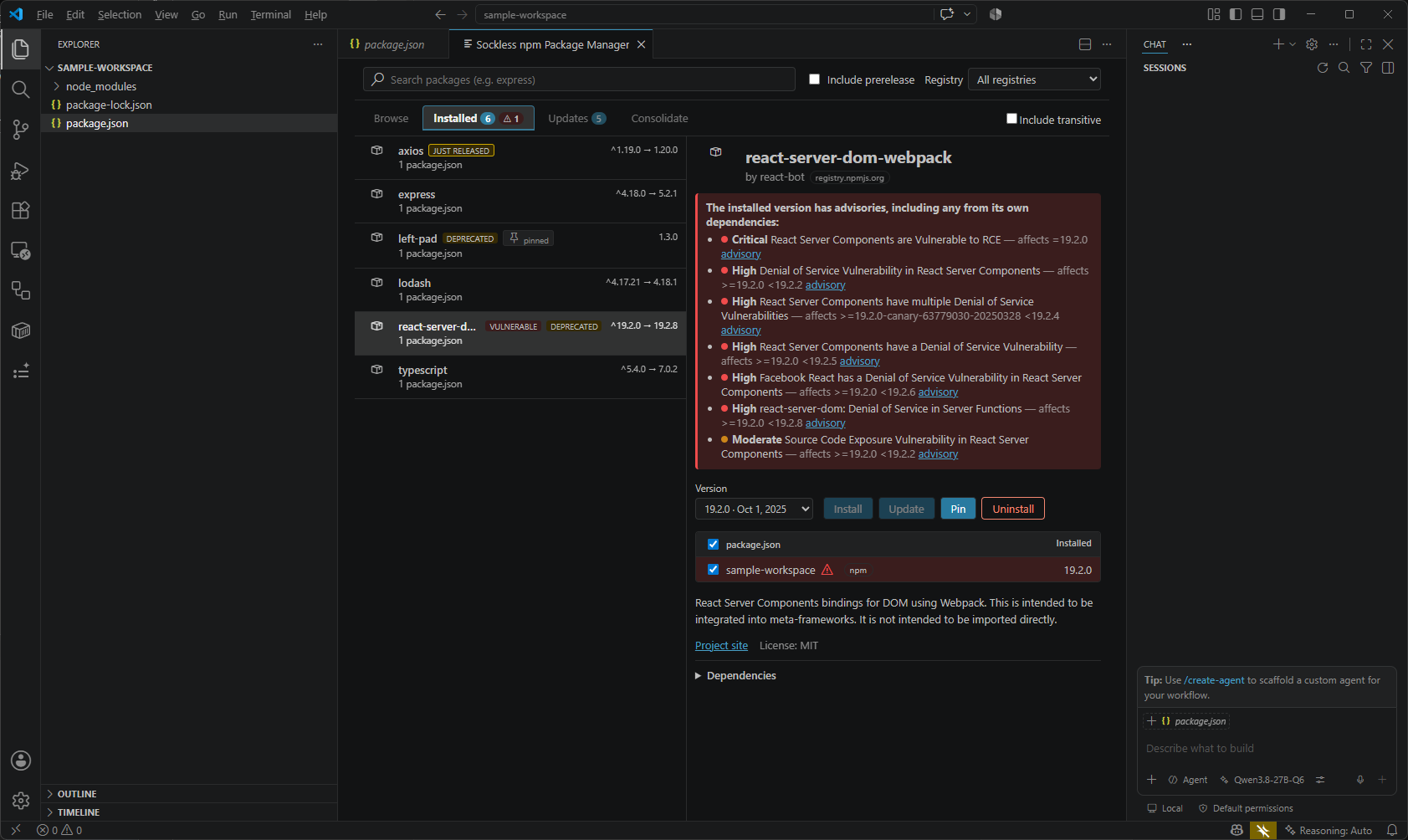
.npmrc) with live results, package details, readme, license, downloads and dependency lists. - Installed — every package actually referenced by a
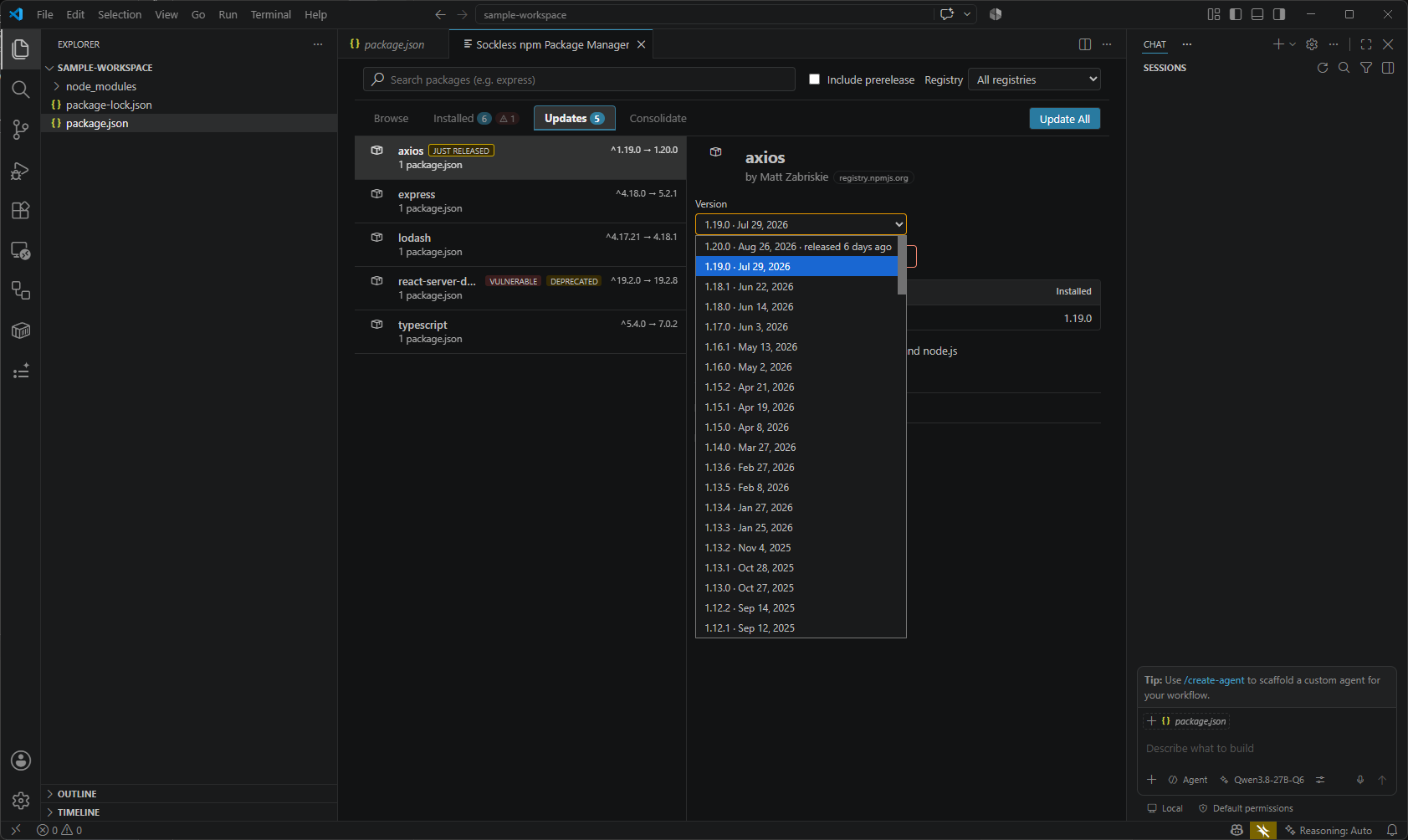
package.jsonin your workspace, direct and transitive, with a tree view showing why a transitive package is present. - Updates with one-click Update All, and Consolidate for packages pinned to inconsistent versions across a workspace.
- Install as dependencies, devDependencies, peerDependencies or optionalDependencies, and choose how the version is written — caret, tilde, exact, or
>=. - Vulnerability scanning via
npm audit, with the advisory chain resolved so a direct dependency shows its full exposure — not the empty-looking entrynpm auditgave it directly. - Supply-chain guardrail — freshly published versions younger than a configurable minimum age are flagged and held back from the default choice and from Update All.
- Works with npm, Yarn (classic) and pnpm, detected per project from its lockfile, with a format-preserving edit to
package.jsonas a fallback.
Getting started
Open a folder containing a package.json, then run npm: Manage npm Packages… from the Command Palette, click the package icon in the editor title bar, or right-click a package.json in the Explorer.
Requirements
VS Code 1.90 or newer, and ideally npm, Yarn or pnpm on your PATH so installs run through the real package manager and keep your lockfile in sync.