The Visual Studio "Manage NuGet Packages" experience, right inside VS Code
Browse, install, update and consolidate NuGet packages from a fast, visual UI — no more hand-editing .csproj files or memorising dotnet add package flags. A tabbed Browse / Installed / Updates / Consolidate layout, multi-feed search, a real resolved dependency tree, and a built-in supply-chain guardrail that keeps risky brand-new versions out of your projects.
Why you'll like it
- It feels like Visual Studio. The same four-tab layout and details pane, per-project checkboxes for install / update / uninstall — but native to VS Code and the
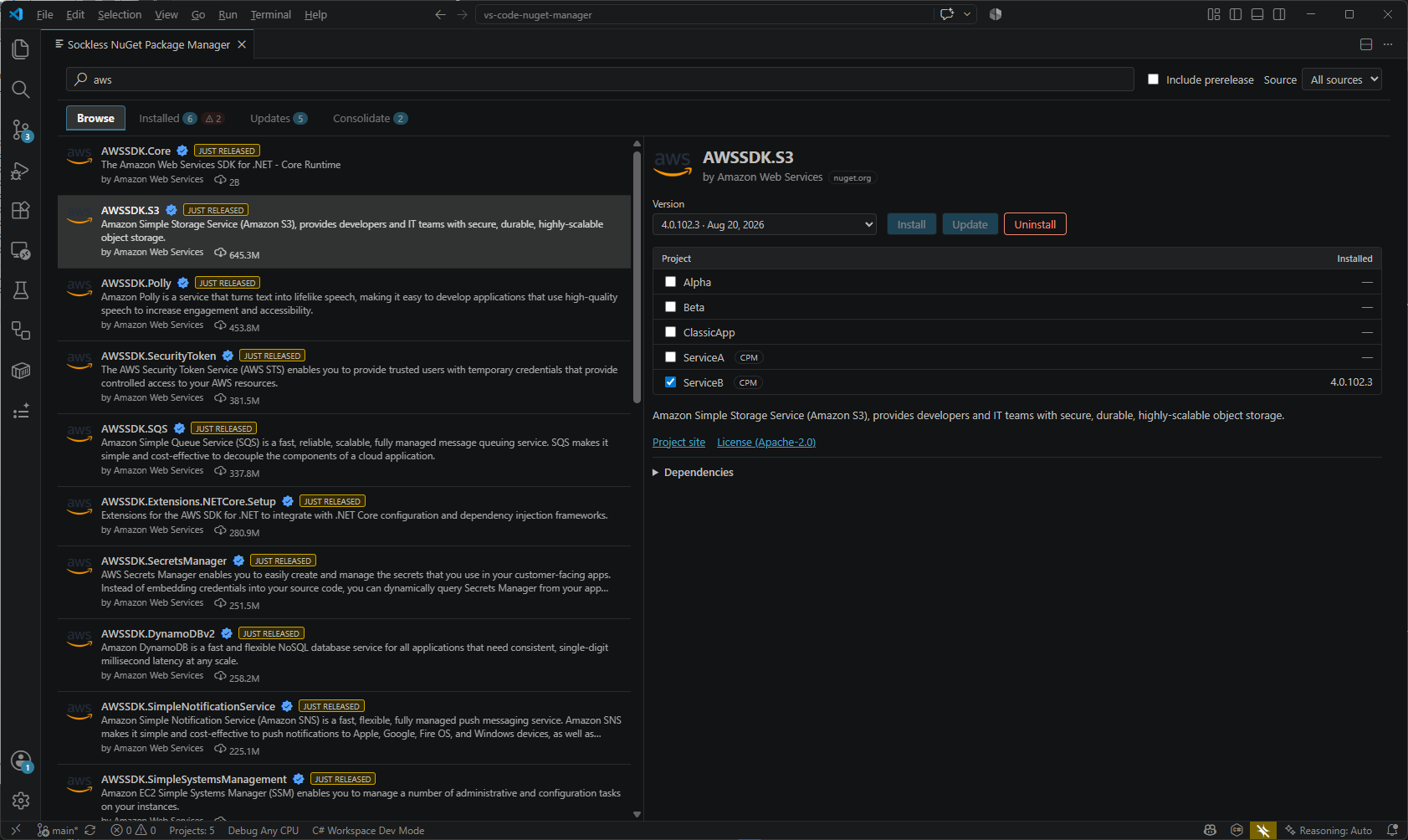
dotnetCLI. - Search every feed at once. nuget.org and your private authenticated feeds together, with a prerelease toggle, download counts, verified-owner badges and package icons.
- Versions sorted the way NuGet actually resolves them — four-part versions, prerelease precedence,
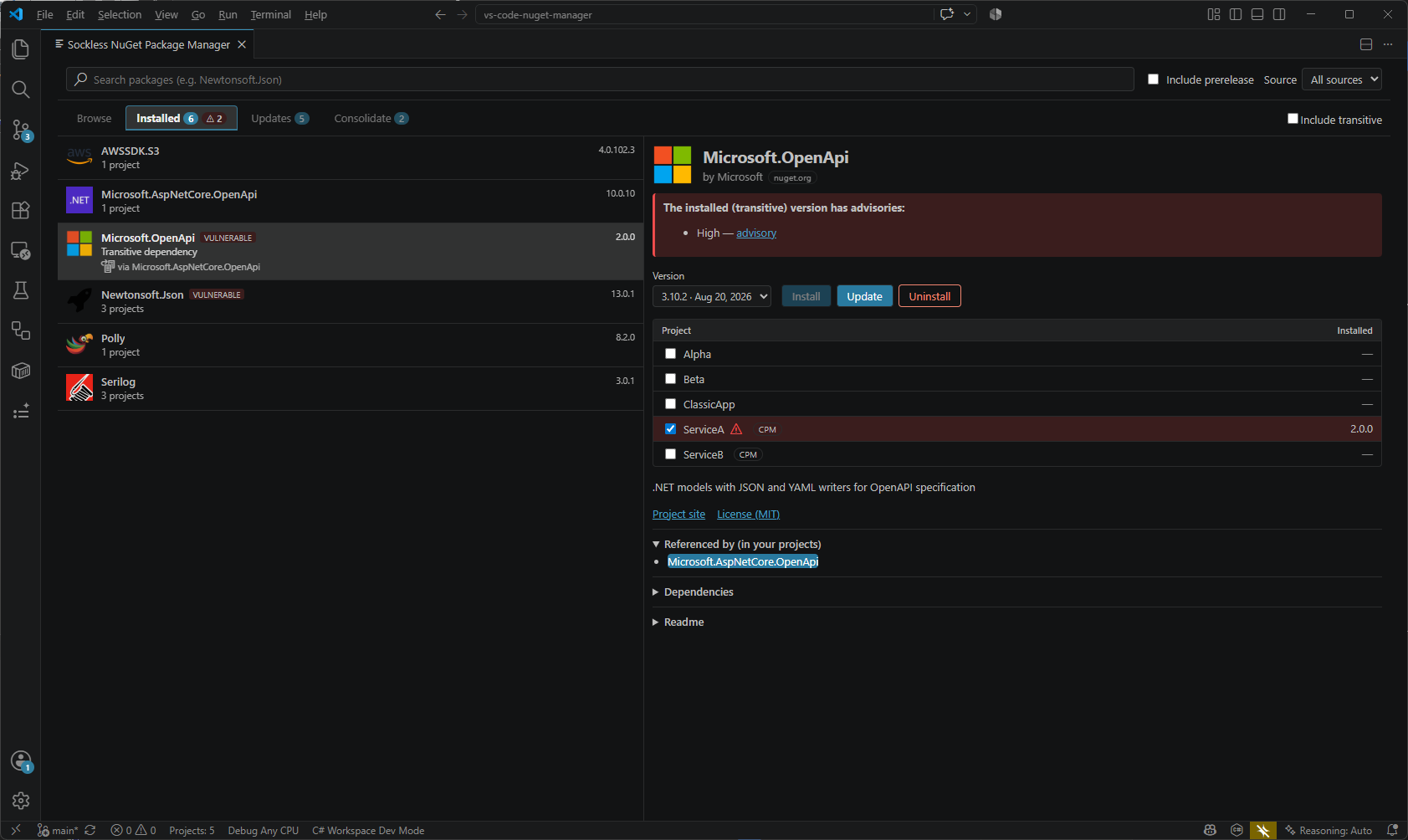
10.0.0above9.0.1— not naive string or SemVer sorting. - See what's really installed. Direct and transitive packages, with a resolved dependency tree showing which direct reference pulls in each transitive one.
- Catch vulnerabilities early. Deprecation and vulnerability advisories surface inline, and vulnerable transitive packages are always flagged — even when the transitive view is collapsed.
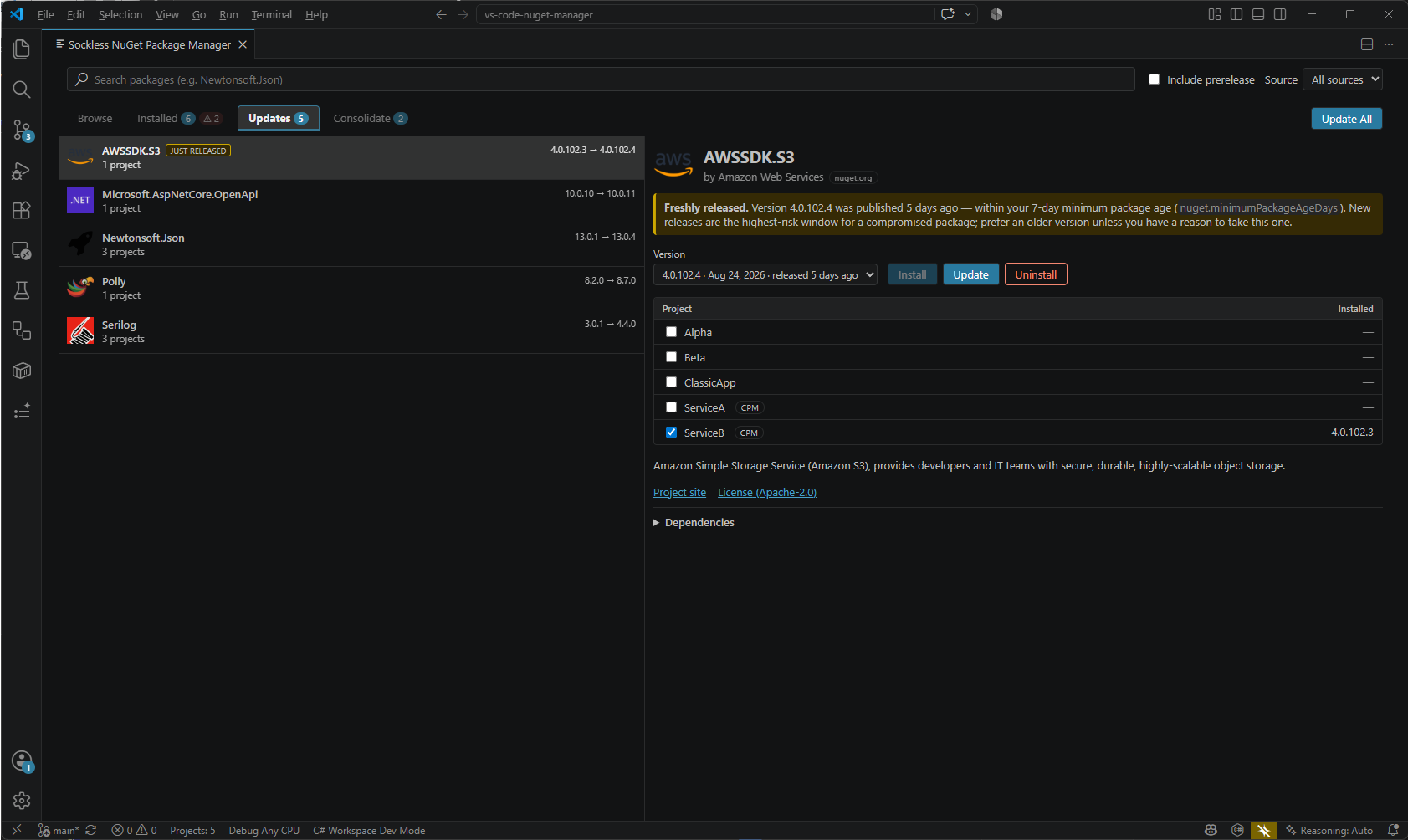
- Stay safe from supply-chain attacks. Versions published in the last few days are held back from Update All and the default selection, so a compromised release can't slip in during its highest-risk window.
- Central Package Management, handled. CPM is detected automatically, and one click converts a classic solution to CPM — versions move into
Directory.Packages.props, conflicts consolidate to the highest version, and every bump is reported.
A closer look
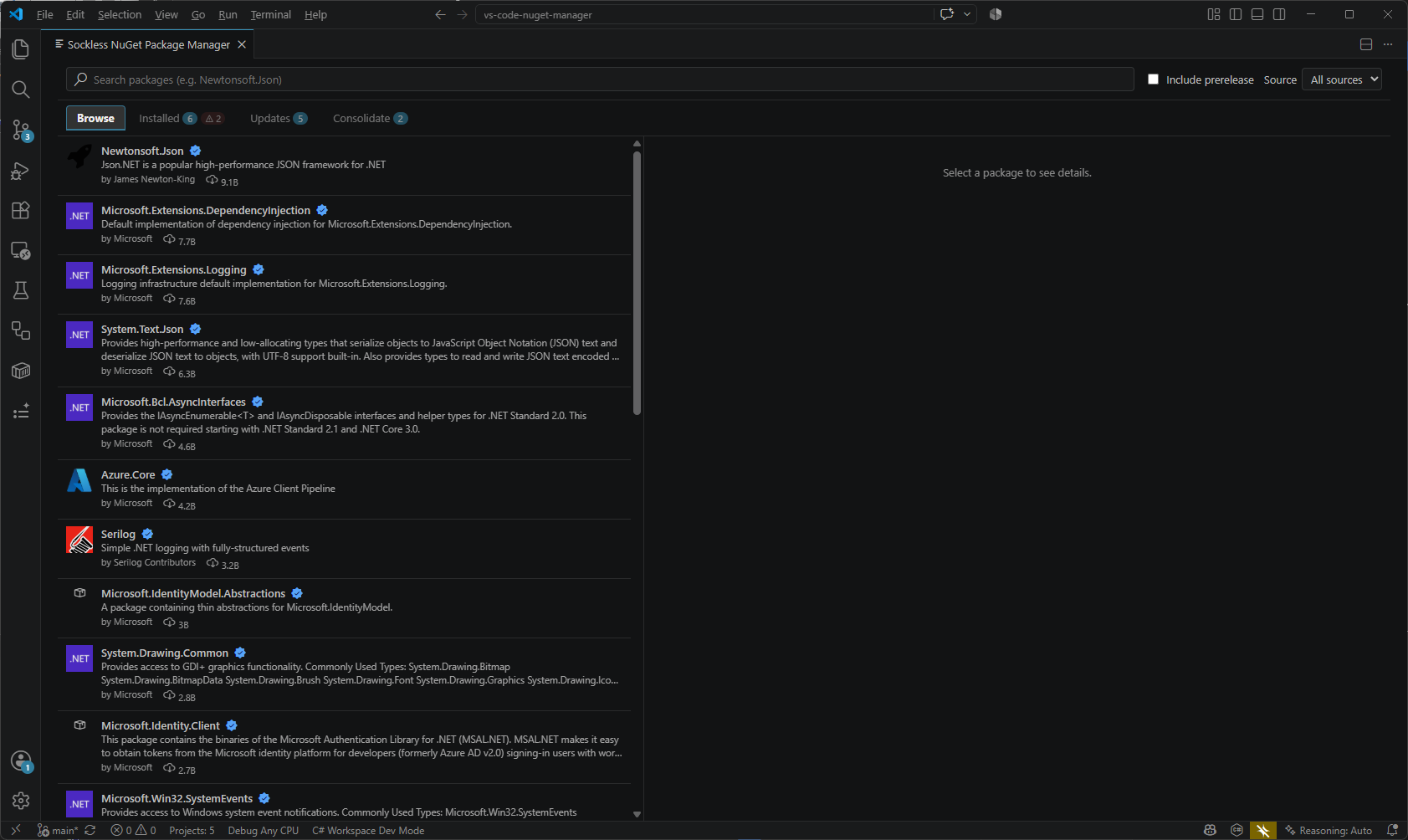
Browse & install
Search across all configured feeds (or narrow to one), toggle prerelease, tick the projects you want, and install one package into many projects in a single click.
Installed — with the real dependency tree
Everything referenced in the workspace, with package icons and an Include transitive toggle that expands the resolved graph. The details pane shows exactly which of your direct packages brought a transitive dependency along.
Updates — one click, or all at once
Every package with a newer version available, with Update All for the whole workspace. Freshly published versions are called out and excluded from the bulk update until they've had time to prove themselves; the toast tells you what was held back and why.
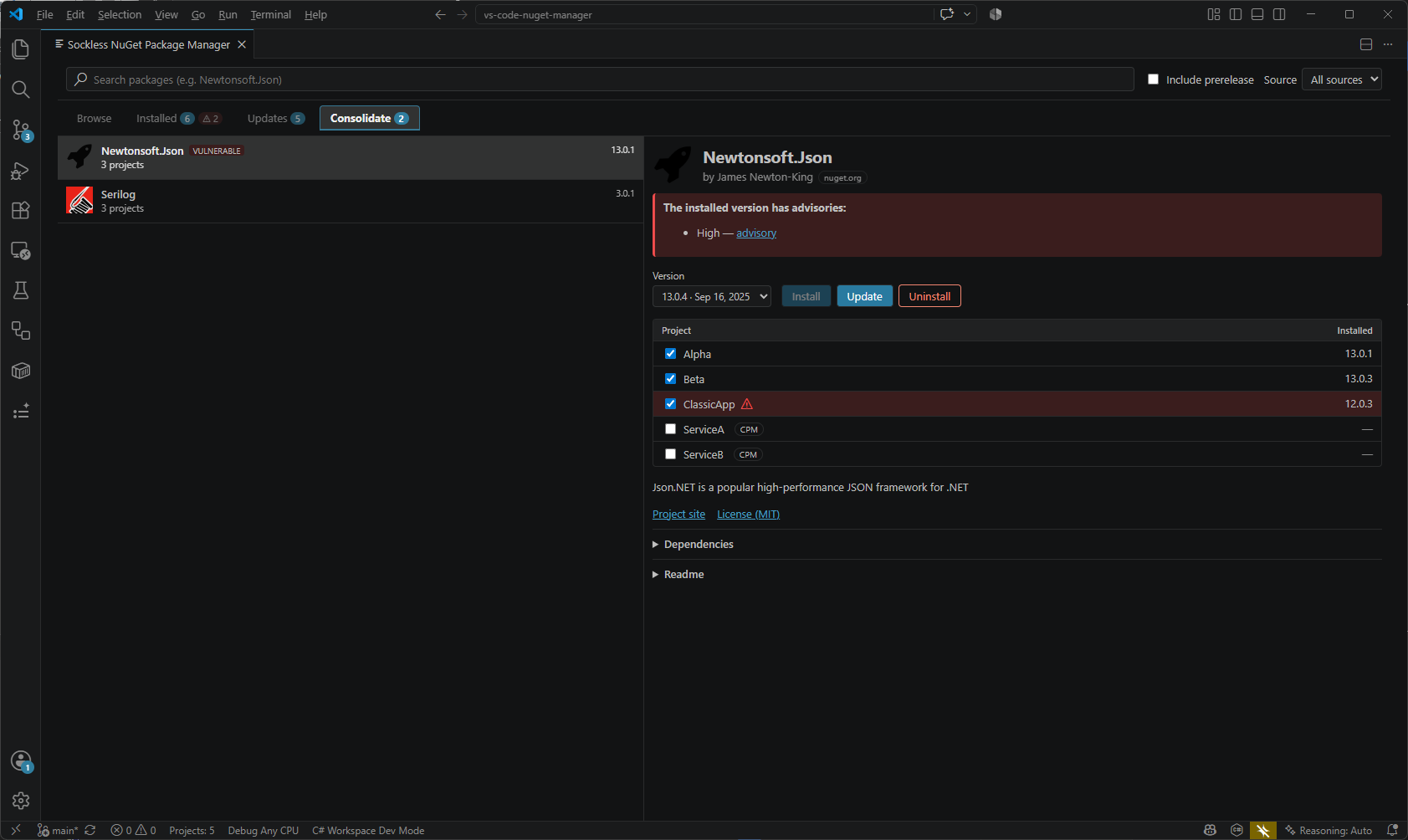
Consolidate — one version everywhere
Find packages referenced at different versions across your projects and align them on a single version in one step.
Requirements
VS Code 1.90 or newer. The .NET SDK is recommended (used for safe installs and dotnet restore) but not required — the extension falls back to editing project files directly while preserving your formatting.