Sockless LLM Router

A lightweight .NET gateway that load-balances requests across multiple local LLM inference servers, exposing them through OpenAI, Claude, and Ollama-compatible APIs — now with API key auth, GPU/NPU device management, and a live real-time dashboard.

.NET 10 ASP.NET Core Razor Pages htmx SQLite EF Core SignalR Chart.js llama.cpp Tailwind CSS Windows Service Hugging Face

LLM Router is a lightweight .NET routing layer that sits in front of multiple local llama.cpp inference servers — across CPU, CUDA, Vulkan, and SYCL backends — and exposes them behind a single, unified API. It speaks OpenAI, Claude, and Ollama-compatible protocols, so existing tools and SDKs can point at it without any changes, while an htmx-powered dashboard handles server supervision, model presets, GPU/NPU device management, API key authentication, and live usage stats pushed over SignalR in real time.

The dashboard ships with an accessible, WCAG AA-compliant UI and a choice of themes — including a neon-cyberpunk look and a copper-and-brass “Sockless” steampunk theme.
Multi-Protocol API Gateway

llama.cpp's own server only speaks a subset of the OpenAI API. LLM Router adds full translation layers on top, exposing OpenAI-compatible (/v1/chat/completions, /v1/responses, /v1/models), Claude-compatible (/v1/messages), and Ollama-compatible (/api/chat, /api/generate, /api/tags, /api/embed) endpoints in front of the same backend — including a stateful OpenAI Responses API built on top of Chat Completions, full bidirectional tool/function-call translation across all three protocols, and real-time reasoning/thinking-token streaming.

In practice, this means tools that only support one provider's API can still reach a local llama.cpp server. For example, pointing Visual Studio's GitHub Copilot at its Ollama model provider and aiming it at LLM Router lets Copilot drive a local llama.cpp-hosted model — even though llama.cpp itself doesn't speak Ollama's API.

Unified Dashboard

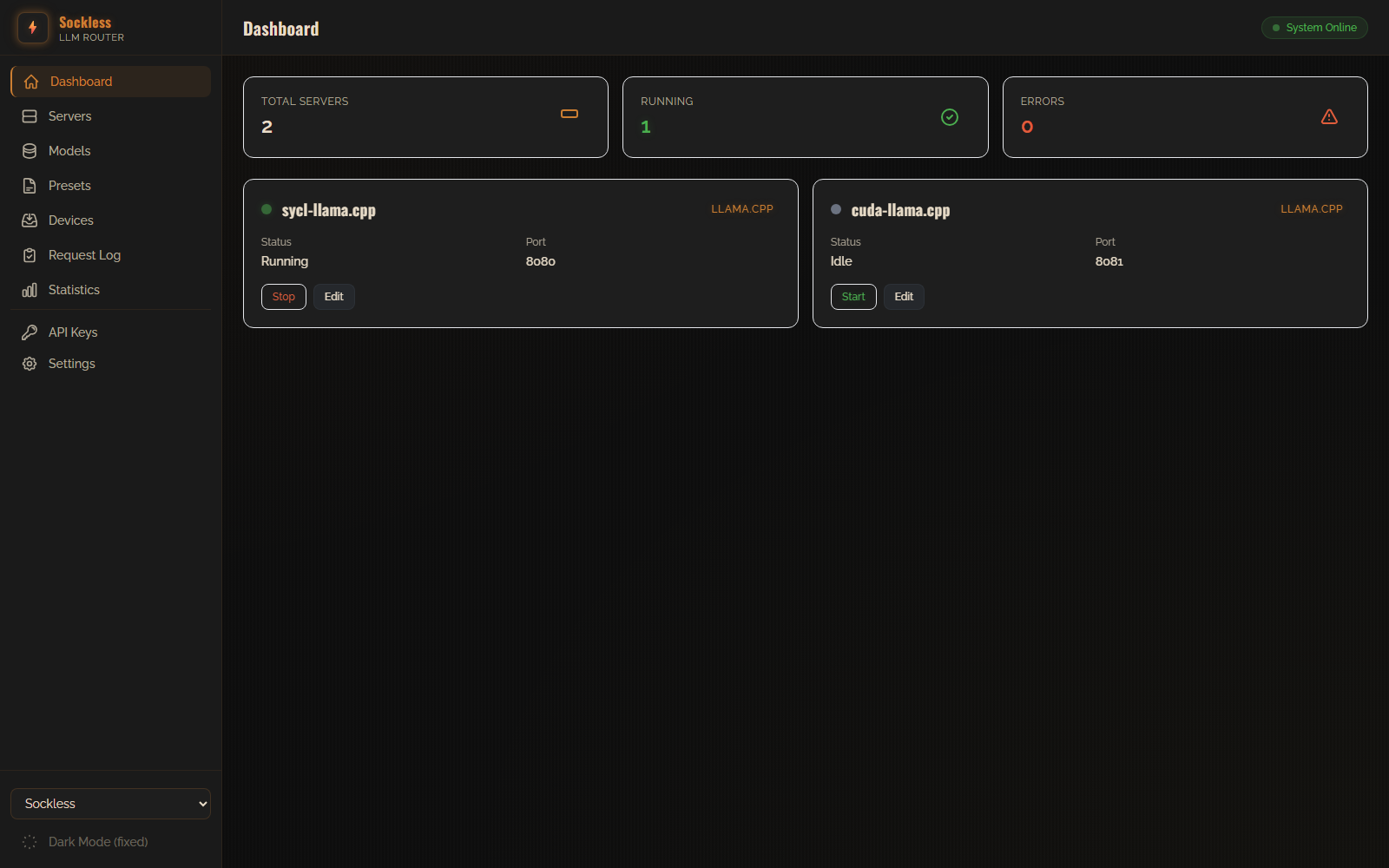
A single view of every registered inference server — status, running state, and port — with one-click start/stop control, live health monitoring, and an at-a-glance summary of total servers, running count, and errors.

Unified Dashboard Dashboard overview showing registered llama.cpp servers, running status, and error count at a glance

Multi-Backend Server Management

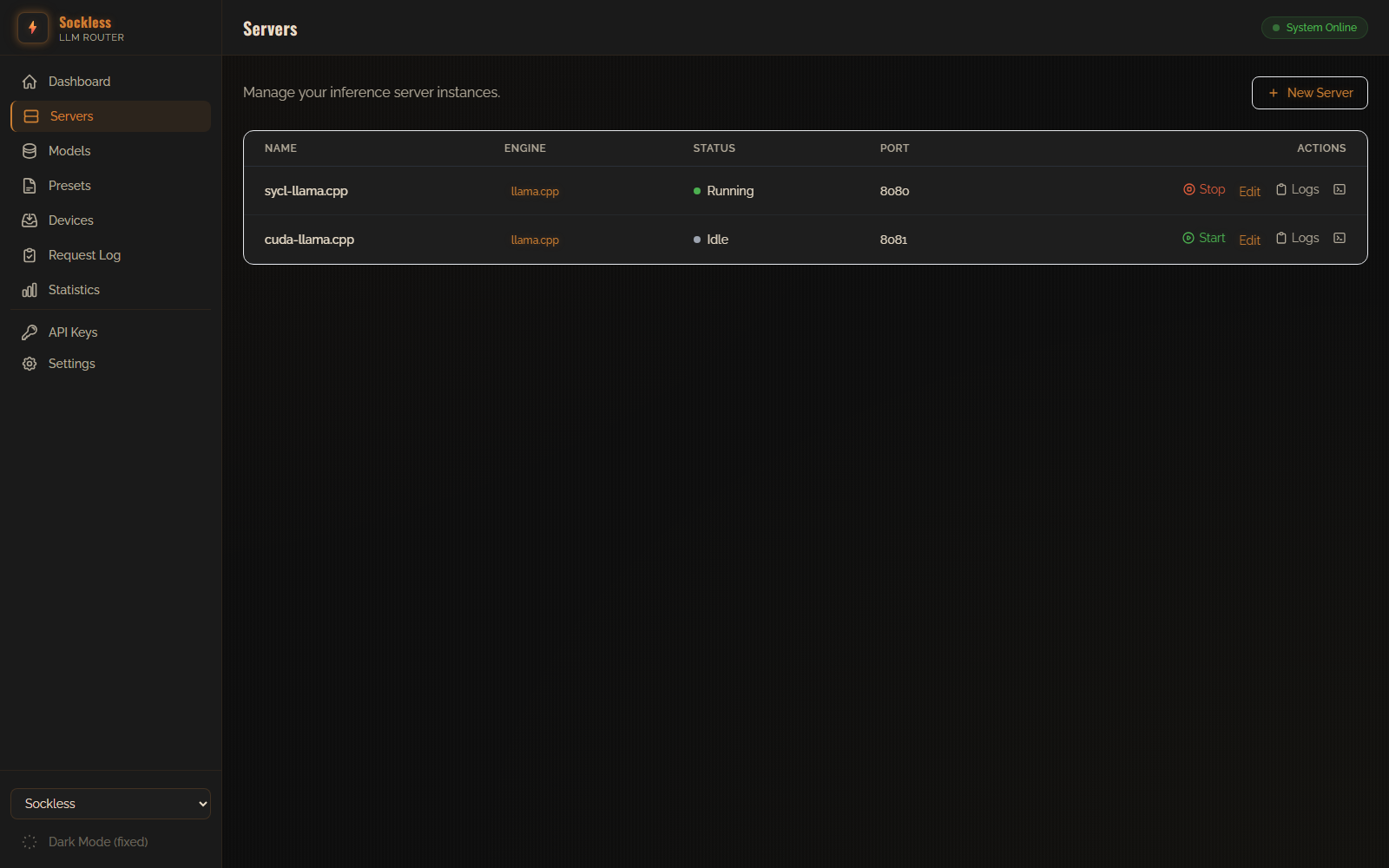
Register and supervise heterogeneous llama.cpp backends (CPU, CUDA, Vulkan, SYCL) from one screen, with per-server logs, edit, and restart actions.

Multi-Backend Server Management Servers list with engine, status, and port for each backend

Model Presets & Affinity Routing

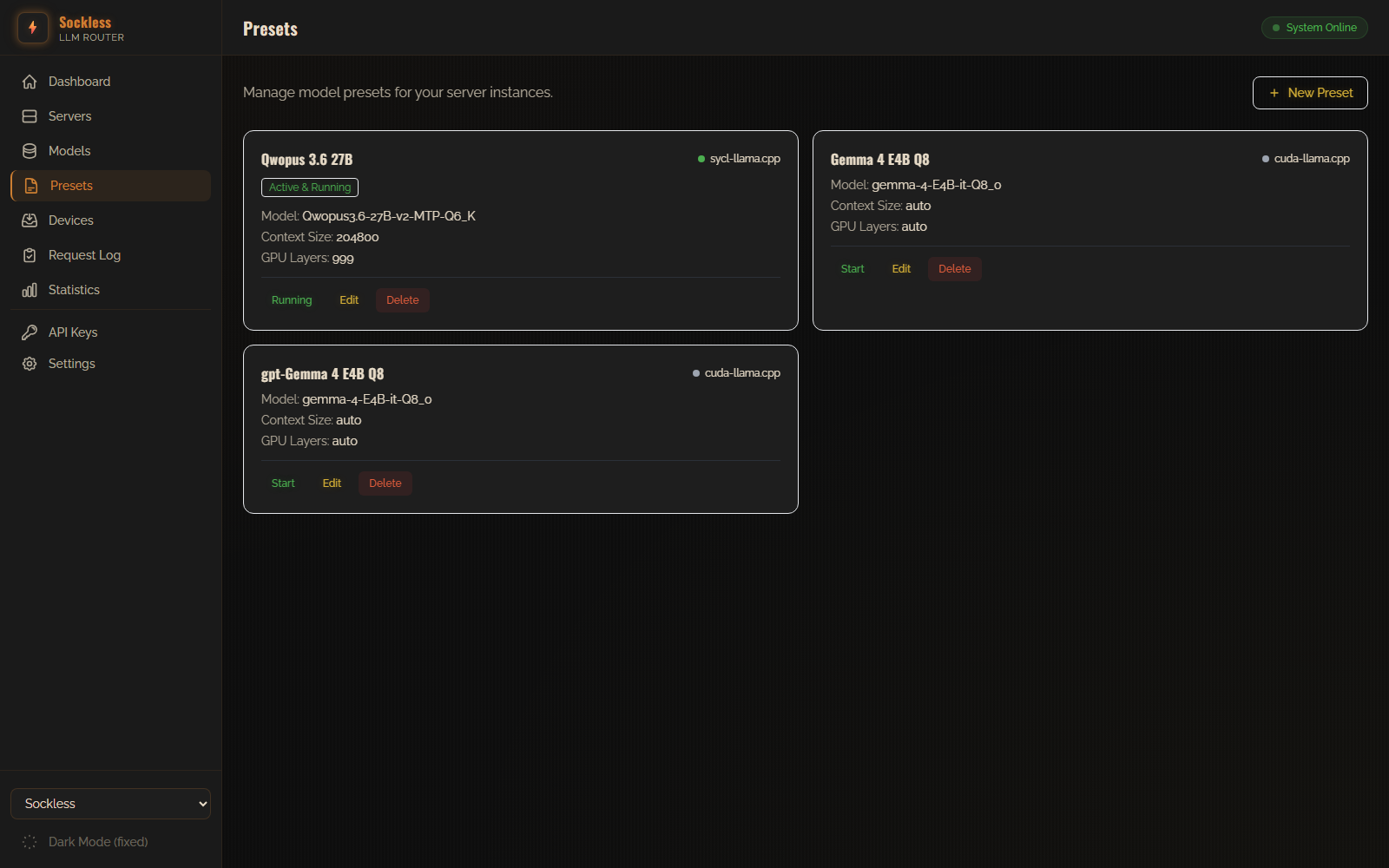
Reusable launch configurations for sampling, context size, GPU layers, and more — the router auto-starts or restarts the server that owns a preset so the right model is always available.

Model Presets & Affinity Routing Presets page showing active and idle model configurations

Model Library with Hugging Face Integration

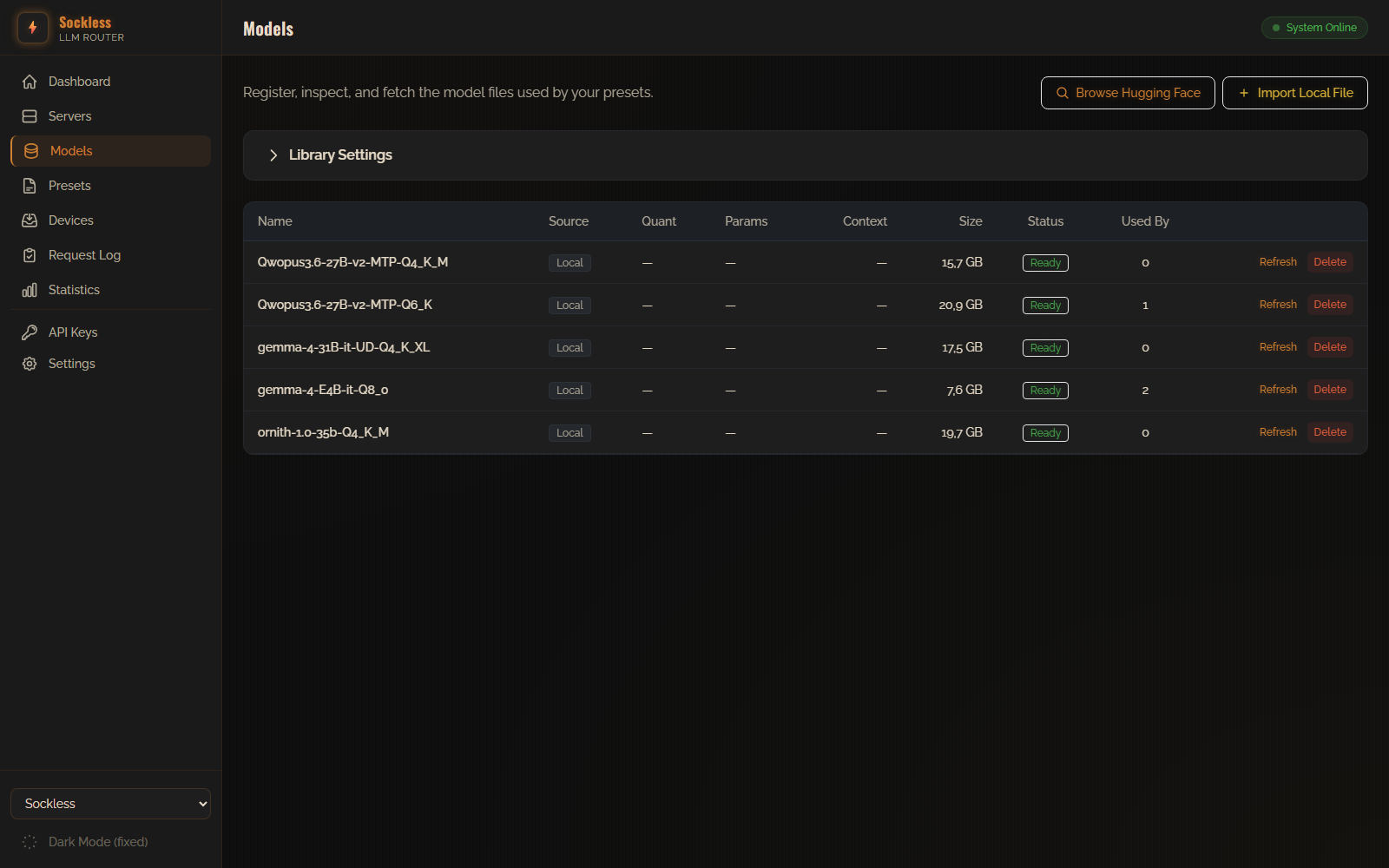
A local registry of GGUF models with size and status at a glance, plus search-and-download straight from the Hugging Face Hub with live progress, or import an existing GGUF file from disk.

Model Library with Hugging Face Integration Model library listing local GGUF files with size and status, ready to serve

Throughput & Latency Stats

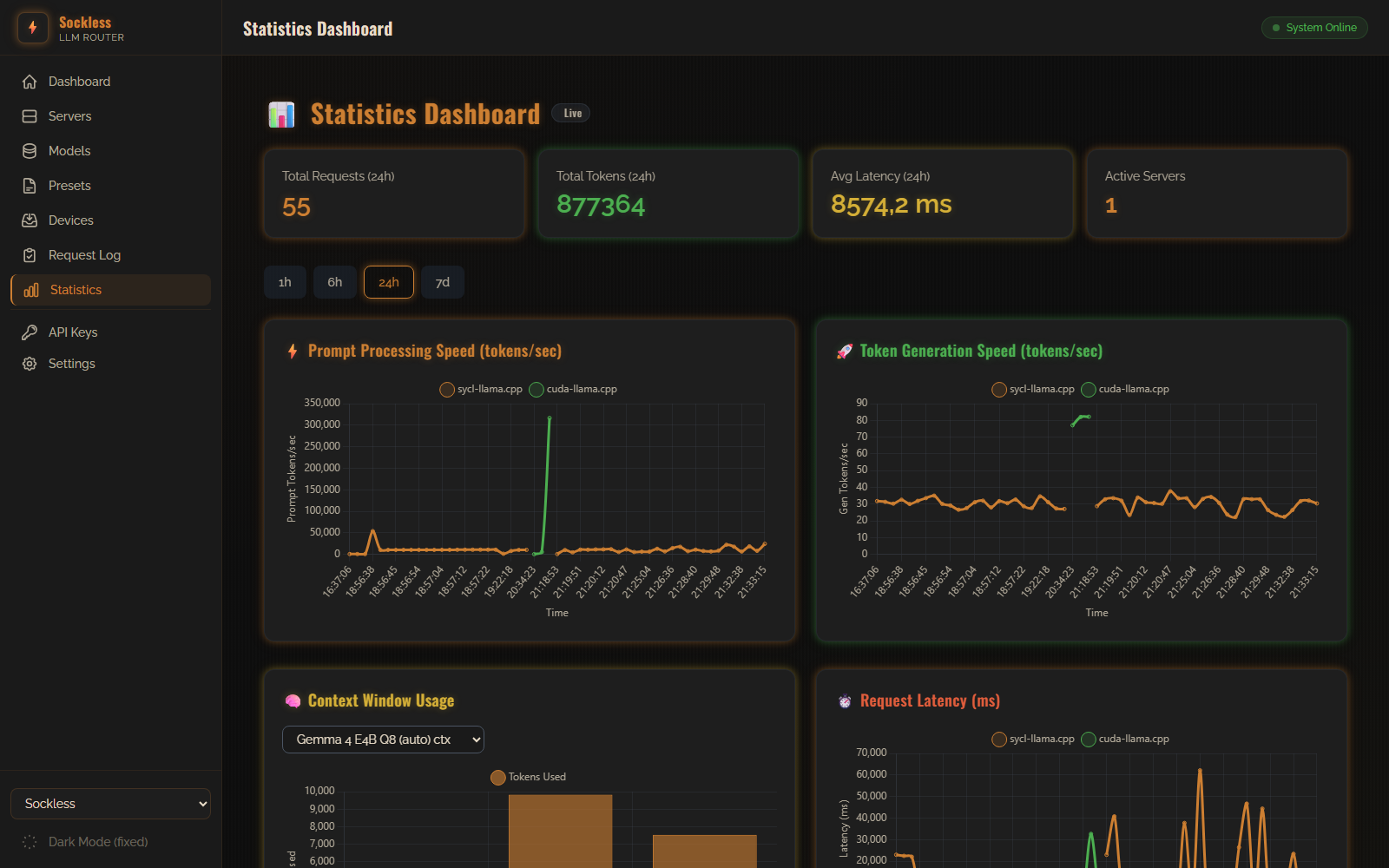
Real-time charts — pushed over SignalR, no polling — for prompt processing speed, token generation speed, context-window usage, and request latency, filterable by time range (1h/6h/24h/7d).

Throughput & Latency Stats Statistics dashboard with live, SignalR-powered throughput and latency charts

Per-Request API Logging

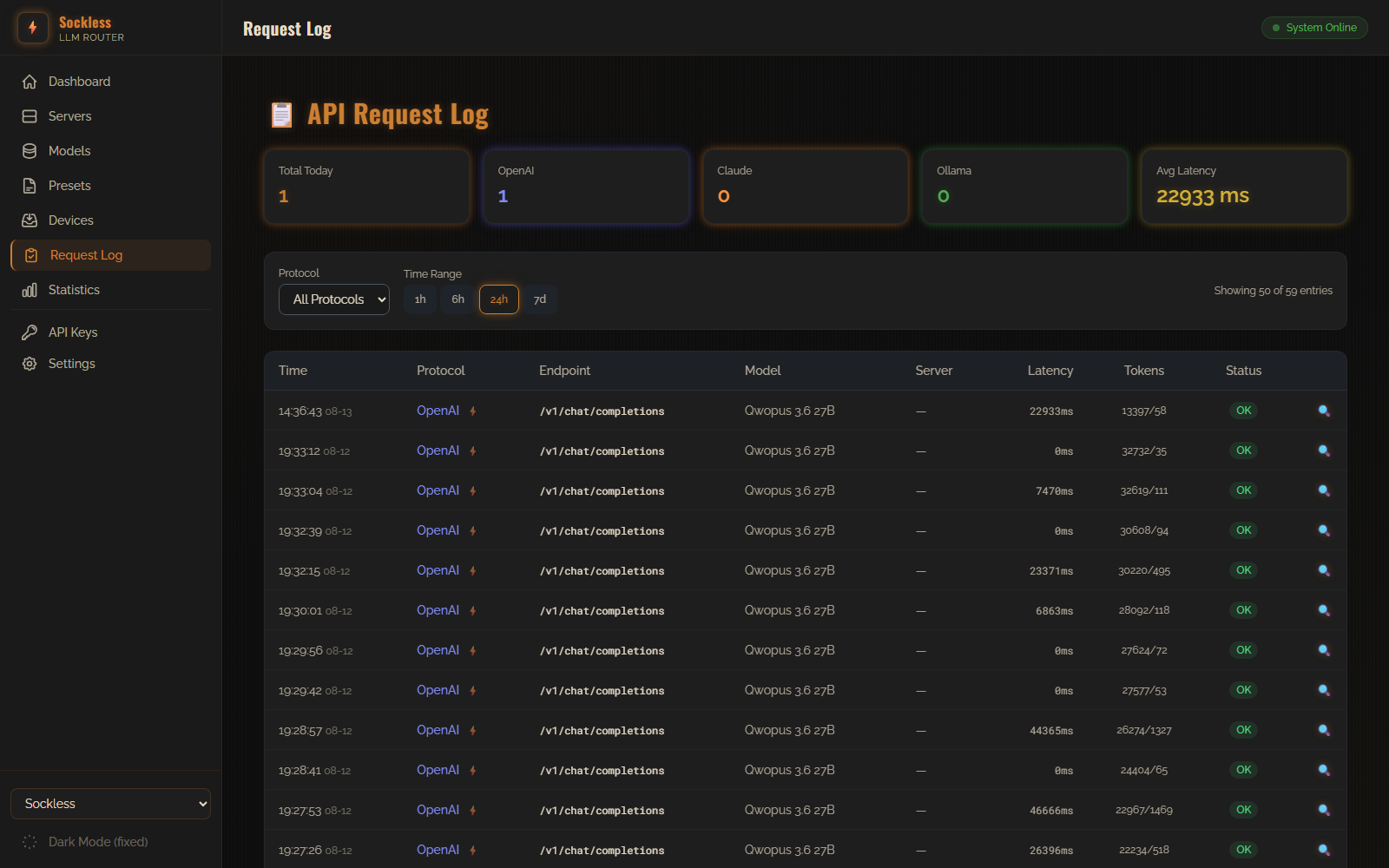
Every request routed through the gateway is logged with protocol, endpoint, model, latency, and token counts — filterable and searchable for debugging and auditing.

Per-Request API Logging API request log filtered to the last 24 hours

API Key Authentication

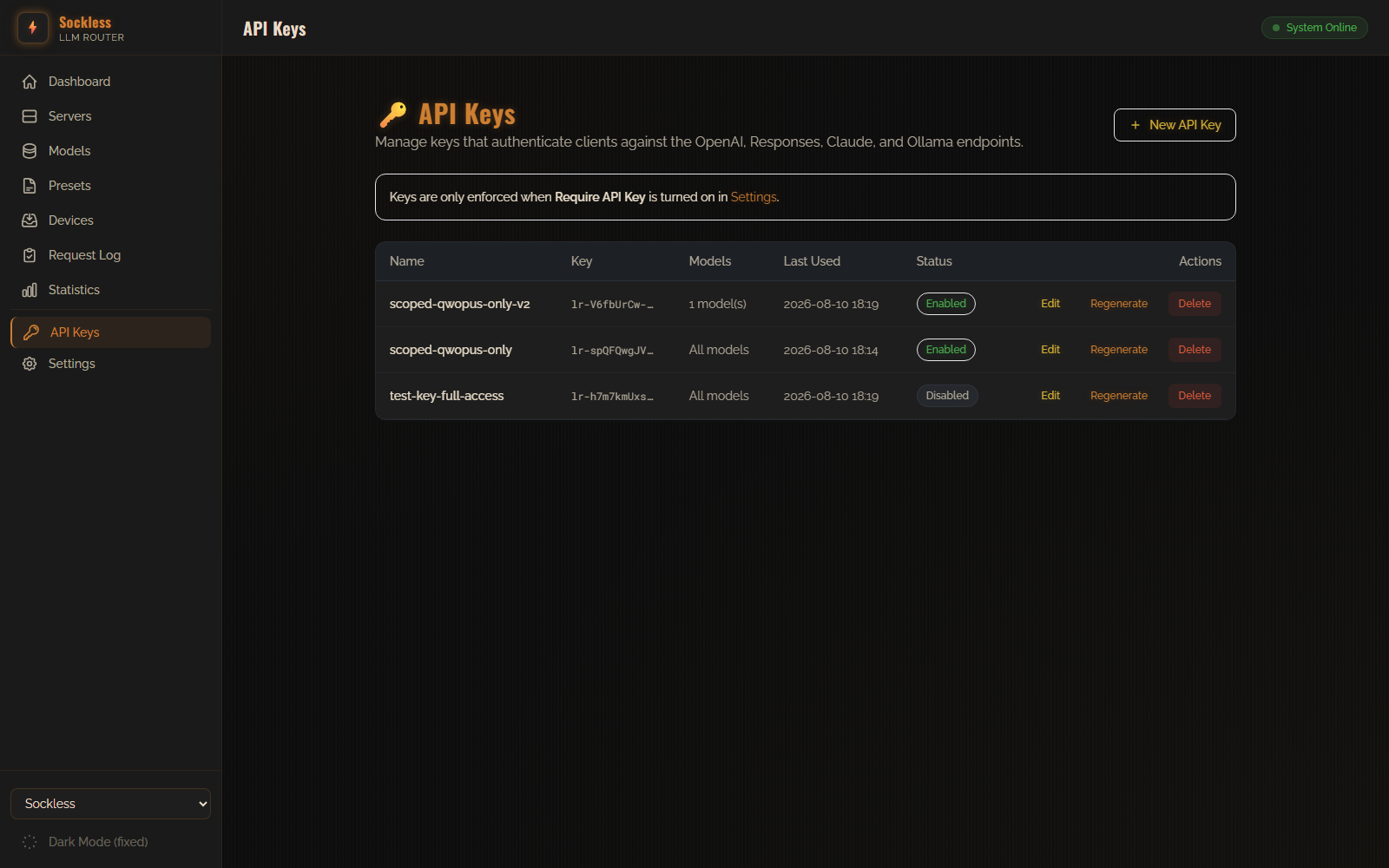
Issue scoped API keys to gate the OpenAI, Responses, Claude, and Ollama endpoints — restrict a key to specific models, disable it without deleting it, or regenerate it on demand. Enforcement is a single toggle in Settings and stays off by default for local-only use.

API Key Authentication API Keys page showing model-scoped keys with enable/disable and regenerate controls

GPU & NPU Device Management

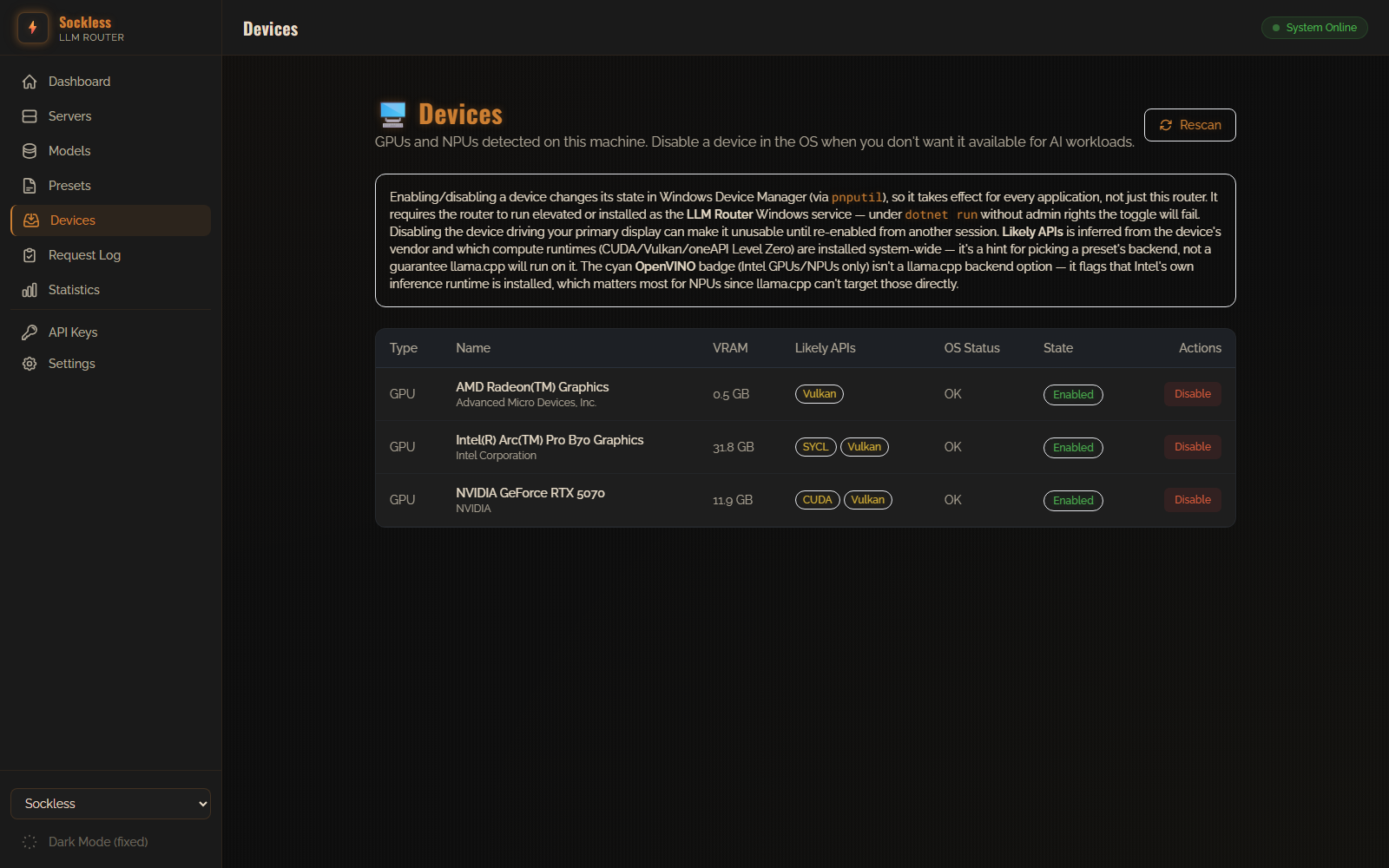
Detects every GPU and NPU on the host via WMI and shows VRAM, vendor, and which compute runtimes (CUDA, Vulkan, SYCL, OpenVINO) are likely available — with a one-click disable that flips the device off in Windows Device Manager for every application, not just the router.

GPU & NPU Device Management Devices page listing detected GPUs with VRAM and likely backend APIs

Tunable Gateway & Logging Settings

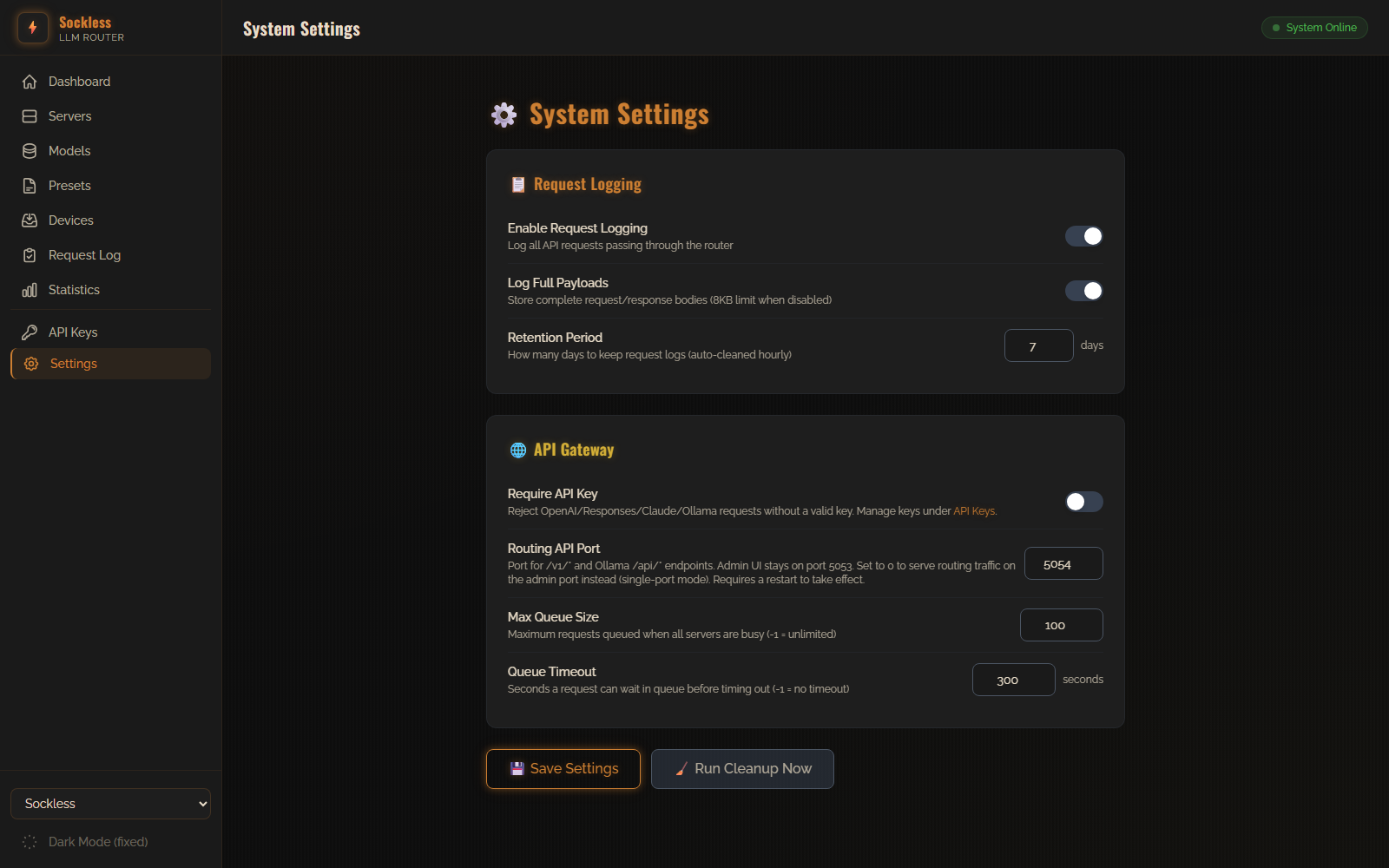
Tune request logging (full payload capture, retention period with hourly auto-cleanup) and gateway behavior — API key enforcement, queue size and timeout — plus an optional dual-port mode that splits routing traffic onto its own port, separate from the admin UI.

Tunable Gateway & Logging Settings System Settings page covering request logging and API gateway configuration
0 Stars 0 Forks